Home
Blog
Cloud WMS Integration Checklist
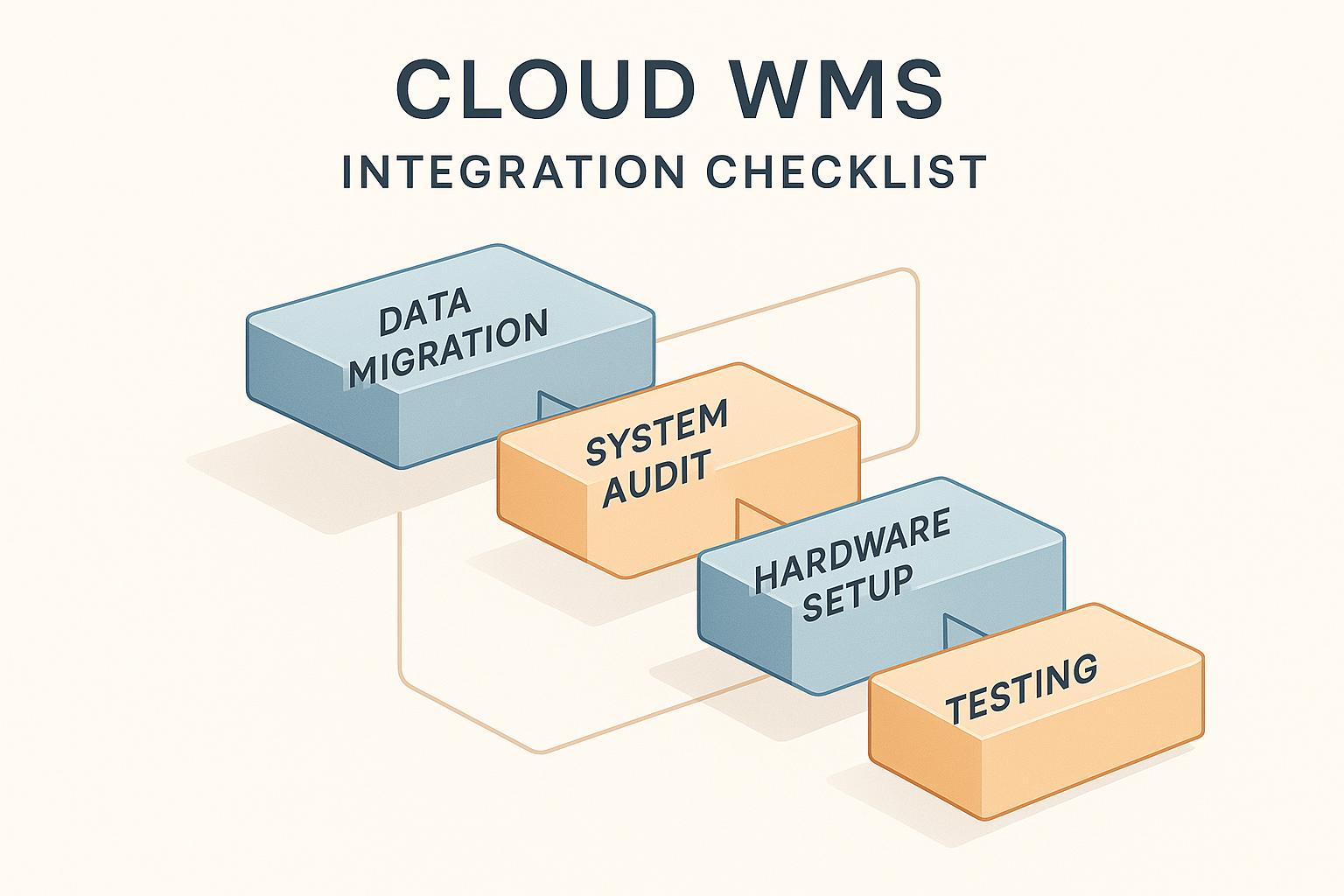

by Techkooks
Published:
Switching to a Cloud Warehouse Management System (WMS) can transform how your warehouse operates. It replaces expensive on-site hardware with a flexible, internet-based platform. This means lower upfront costs, automatic updates, and the ability to manage operations from anywhere. But to fully benefit, proper integration with your existing systems is essential.
Here’s what you need to know:
What is Cloud WMS? A system that handles inventory tracking, order fulfillment, and analytics through connected devices. It supports automation, improves productivity, and provides real-time data.
Why Integration Matters: Seamless connections with ERP, accounting, and CRM systems eliminate errors, improve efficiency, and provide full visibility across operations.
Steps for Success: Start with a detailed audit of current systems, set clear goals, prepare clean data, and test thoroughly before going live.
Post-Integration Tips: Monitor performance, collect feedback, and schedule regular maintenance to keep the system running smoothly.
Pre-Integration Planning and Assessment
Taking the time to carefully assess your current operations is essential to avoiding costly errors, data migration headaches, and team frustration. This initial phase lays the groundwork for everything that follows, ensuring your system integration has a solid foundation.
Audit Current Warehouse Operations and Systems
Start by thoroughly auditing your warehouse operations - everything from inventory and processes to technology and infrastructure. This step helps you establish a clear picture of what’s working, what needs improvement, and what’s outright broken.
Map out every workflow in your warehouse. Create detailed diagrams that illustrate processes like receiving, putaway, picking, packing, and shipping. Walk through each step physically to identify bottlenecks, inefficiencies, and manual tasks that could be automated. Pay close attention to areas where errors commonly occur.
Examine your software ecosystem. Are you still relying on spreadsheets and manual processes? Do you have an ERP system that handles some warehouse functions? What about e-commerce platforms, accounting software, or other tools? Document how data flows between these systems to identify where integration is necessary.
Don’t overlook your hardware setup. Walk through your facility to test Wi-Fi coverage - dead zones can disrupt mobile scanners and tablets. Evaluate your current devices: Are your scanners reliable? Are workstations placed in optimal locations? Do you have backup systems in case something fails?
Conduct a gap analysis to compare your current operations with your desired outcomes. For instance, if you’re manually tracking inventory but need real-time visibility across multiple locations, that gap will require significant changes like data migration and process updates. Similarly, if your ERP system doesn’t communicate with your e-commerce platform, resolving that integration should be a priority.
Accuracy matters. Cross-check inventory reports against actual stock to ensure your data is reliable. Standardize SKU naming conventions to eliminate inconsistencies. Clean, organized data will make your new Warehouse Management System (WMS) run smoothly from the start, while messy data can lead to ongoing problems.
Finally, compile a detailed list of necessary updates. This might include upgrading network equipment, replacing outdated scanners, standardizing product codes, or even providing staff with computer training. Budget for these updates early to avoid surprises later in the process.
Define Integration Goals and Requirements
Use your audit findings to set clear integration goals and requirements. Specific, measurable objectives keep the project focused and on track. Instead of vague goals like "improve efficiency", aim for concrete targets like reducing picking time by 20%, achieving 99% inventory accuracy, or cutting order fulfillment time from 48 hours to 24 hours.
Create a project plan with realistic milestones, avoiding peak business periods to minimize disruptions. Allocate the necessary resources, including budget, staff time, and external expertise. Establish metrics to evaluate success and ensure everyone is aligned on what "success" looks like.
Assemble an implementation team with clearly defined roles. A RACI matrix can help clarify who is Responsible, Accountable, Consulted, and Informed for each task. Include key players like a WMS expert or power user, warehouse managers who know daily operations inside out, IT staff for technical integration, and leadership to make decisions when trade-offs arise.
Involve IT, operations, and security teams early in the process. IT can assess network readiness, operations can pinpoint processes that need redesigning, and security leads can address data protection requirements.
Map out integration points in detail. For instance, if you’re connecting a WMS to an ERP system, specify what data flows in each direction and how often. Does inventory update in real time or in batches? When a customer places an order on your e-commerce platform, how does that trigger warehouse actions? Determine which system will serve as the "source of truth" for customer data, pricing, and product specifications.
Plan your data migration strategy carefully. Decide which historical data needs to move and what can stay archived. Back up all existing data before starting, and standardize formats to resolve inconsistencies. For example, if one system labels a product as "Widget-Blue-Large" and another calls it "LG BLU WIDGET", clean up those discrepancies beforehand.
Develop a change management plan to help your team adapt to the new system. Estimate costs upfront and design a training schedule that accommodates different learning styles, whether through hands-on practice, written guides, or video tutorials. Document your testing plan so everyone knows how the system will be validated before going live.
Set aside a 10–20% contingency in your budget for unexpected expenses.
Consider running your old and new systems in parallel for a short time. While this adds extra work, it allows you to verify that data transfers correctly and catch issues before fully transitioning to the new WMS.
Step-by-Step Cloud WMS Integration Checklist
Once you've completed your pre-integration assessment, it's time to move forward with the actual implementation of your Cloud WMS. Each step in this process plays a key role in ensuring your warehouse operations transition smoothly and efficiently.
Data Preparation and Migration
Start by auditing and organizing your inventory data. Correct any discrepancies, remove duplicate entries, and standardize naming conventions for SKUs, locations, and customer records. Physically verify that your system data matches the actual inventory in your warehouse. Consistency here will prevent headaches later.
Back up your data. Store detailed backups of all warehouse and customer information on multiple media sources in separate locations. This precaution protects against data loss during the migration process. Make sure your IT team and database administrator oversee this step to ensure no critical details are missed.
Decide what historical data is essential to carry over. Not everything needs to move to the new system - prioritize current inventory levels and active customer records, while archiving older, less relevant data like years-old purchase orders. Establish formatting rules to ensure incoming data integrates seamlessly.
Map your warehouse layout to align with the new system. Create a barcode schema and location hierarchy that mirrors how your space operates. This will make navigation and workflows more intuitive for your team. Additionally, define user permissions to control access to various system functions and data.
During the transition, you'll likely need to run both systems in parallel. This means temporarily entering data into both systems to confirm accuracy. Use a detailed checklist to verify that all data transfers correctly before retiring your legacy system. Once your data is clean and ready, shift focus to hardware and network readiness.
Hardware and Infrastructure Setup
Double-check that your hardware and network infrastructure meet the requirements outlined in your audit. Ensure barcode scanners, workstations, and mobile devices are compatible with the WMS. Test Wi-Fi coverage throughout your facility to identify and address dead zones where devices might lose connectivity.
Conduct a facility-wide walk with a mobile device to pinpoint any weak spots in connectivity. Fix these issues before your system goes live to avoid workflow interruptions. Additionally, test your network's capacity to ensure it can handle the increased demands of a cloud-based WMS. If needed, budget for upgrades to meet vendor specifications.
Plan for contingencies. If your primary internet connection fails, do you have a backup in place? What about power outages - are critical workstations equipped with power backups? These measures will help you avoid complete shutdowns during technical hiccups. With your infrastructure in place, move on to configuring software integrations.
Software and System Integration
Integrate your WMS with key systems like ERP, e-commerce platforms, shipping tools, and accounting software. This ensures data flows seamlessly across platforms. For example, an e-commerce order should automatically appear in your WMS to trigger picking and packing.
Set up data synchronization schedules that balance real-time updates with system performance. Real-time syncing is great for up-to-the-minute accuracy but can strain resources, while batch processing reduces network load but introduces slight delays. Find the right approach for your operations.
Build reporting dashboards that consolidate data from all integrated systems. These dashboards should provide real-time insights into inventory levels, order statuses, and overall warehouse performance. Customize them to display the metrics that matter most to your team, whether that’s order accuracy, fulfillment speed, or inventory turnover rates.
Assign someone to oversee the integration process. This person should understand both the WMS and the connected systems to troubleshoot issues and verify that everything works as intended. Test these integrations extensively before going live to catch and resolve any problems early. Once integrations are ready, shift focus to testing and quality assurance.
Testing and Quality Assurance
Create a comprehensive testing plan that covers all common warehouse workflows. Test receiving, putaway, picking, packing, and shipping processes. Don’t stop at ideal scenarios - introduce errors to see how the system handles exceptions.
Involve your warehouse team in hands-on testing. Experienced workers running through daily tasks in the test environment can identify usability issues or workflow inefficiencies that might not be obvious to IT staff. Their feedback is invaluable.
Start with small batches of data to identify potential issues before full-scale deployment. Test a subset of products, locations, and orders to ensure inventory updates correctly, orders are routed properly, and reports are accurate. Running both the old and new systems in parallel can help you verify data consistency and resolve discrepancies before the final transition.
Double-check your data backups and test restore procedures to ensure they work as expected. The last thing you want is to discover incomplete or corrupted backups during a crisis. Schedule additional staff to support testing without disrupting daily operations.
Document a detailed cutover plan that outlines the exact timing for shutting down the old system and launching the new one. Include rollback procedures in case critical issues arise during the transition. Finally, confirm that all stakeholders understand their roles and responsibilities, ensuring everyone is prepared for a smooth go-live process.
Post-Integration: Optimizing and Maintaining Your Cloud WMS
Going live with your cloud WMS is just the beginning. To maximize its benefits, you’ll need to focus on ongoing monitoring, optimization, and maintenance.
Monitor Performance and Collect Feedback
Establish clear performance metrics right from the start. These benchmarks help determine whether your cloud WMS is delivering as expected. Key metrics to track include:
Inventory accuracy rates: Does the system data match your physical stock?
Order fulfillment speed: How quickly are orders processed from receipt to shipment?
Picking and packing efficiency: Are there bottlenecks slowing down warehouse workflows?
System uptime and availability: Is your cloud infrastructure consistently accessible?
Data synchronization success rates: Are integrations with systems like ERP platforms running smoothly?
Feedback from your team is equally important. Use team meetings and anonymous surveys to uncover workflow issues and usability concerns. Regularly engage super users - those who rely on the WMS daily - to identify inefficiencies that may not show up in system reports. Focus on practical questions, such as:
Which workflows feel unnecessarily complicated?
Are there extra steps compared to previous processes?
Where do data integration issues arise?
What changes would make daily tasks easier?
Once you’ve gathered feedback, prioritize issues based on their frequency and impact. Use this input to refine workflows, create focused dashboards, and resolve integration hiccups. Assign a dedicated WMS overseer to validate these updates and communicate improvements back to the team. When employees see their suggestions implemented, they’re more likely to embrace the system fully.
Dashboards tailored to specific roles can provide actionable insights:
Warehouse managers benefit from real-time data on inventory levels, queue status, and error rates.
Executives need high-level metrics like order accuracy, on-time delivery rates, and ROI.
IT teams require dashboards to monitor database performance, data synchronization, and network health.
Automate reporting to deliver these dashboards regularly - daily for operations, weekly for management, and monthly for executives. Configure alerts to notify stakeholders immediately when performance metrics fall below acceptable levels, allowing for quick action before small problems escalate.
Once performance tracking and feedback loops are in place, focus on maintaining system health.
System Maintenance
Even with cloud providers managing infrastructure, regular system checks are essential. Schedule monthly health checks to verify backup systems, ensure seamless data synchronization, and review logs for anomalies or performance issues.
Every quarter, conduct system reviews to adjust configurations, workflow rules, and user permissions as your business evolves. For instance, as your warehouse layout changes or inventory grows, reevaluate location mapping and barcode schemas. Use these reviews to plan for necessary system updates or patches provided by your vendor.
Data maintenance is critical. Regularly test your backup restore procedures to ensure you can recover quickly in case of a system failure.
For businesses without in-house IT teams, consider partnering with IT support services like Tech Kooks (https://techkooks.com). They can provide cost-effective expertise to keep your cloud WMS secure and optimized. IT support teams can also handle network monitoring to ensure reliable Wi-Fi coverage for mobile devices and scanners, perform security audits, and create disaster recovery plans to safeguard sensitive data.
Plan for scalability to meet future growth without disruptions. Conduct capacity assessments to evaluate current system usage, data storage, and network bandwidth. Use growth forecasts to project future needs for inventory, transactions, and users. Most cloud WMS platforms offer flexible scaling options, allowing you to add storage, licenses, or processing power as needed. Work with your vendor to understand costs and timelines for scaling, and test performance under peak loads to identify potential bottlenecks early.
Maintain an issue log to track problems after go-live, noting their severity, resolution steps, and outcomes. This log helps identify recurring issues and patterns. Establish clear escalation procedures to ensure problems are reported, prioritized, and resolved efficiently, with designated contacts for different types of issues.
Analyze operational data from your WMS to uncover inefficiencies. For example, if picking times are longer in certain zones, it might indicate a need to reconfigure warehouse layouts. Regularly review and update user permissions and workflow rules to align with your current operations as roles and processes evolve.
Finally, invest in sustained training and support. Develop training programs for new hires to ensure consistent system usage, even as staff turnover occurs. Assign a WMS expert or super user to onboard new employees and keep training materials updated with process changes. This proactive approach ensures your WMS continues to support your operations effectively over time.
Conclusion
Bringing a cloud WMS into your operations can either streamline your processes or create unnecessary headaches - it all depends on how well you plan. It starts with solid preparation: assessing your current systems, defining clear objectives, and aligning your implementation strategy. Without this groundwork, you might end up carrying over the same inefficiencies from your old system into the new one.
One of the most critical phases is testing. This is where you iron out any potential issues before they impact your operations. Running parallel systems, checking data accuracy, and running through various scenarios can help you catch problems early. Skipping this step often leads to expensive downtime and frustrated employees during the go-live phase. Testing ensures the system is ready to meet your business needs.
But the work doesn’t stop once the system is live. Ongoing optimization is key to keeping your cloud WMS effective as your business grows. Tracking performance metrics, listening to employee feedback, and making data-driven tweaks ensure the system evolves alongside your operations. Regular reviews and updates prevent the system from becoming outdated or slowing you down.
Smart businesses treat their cloud WMS as more than just software - they see it as a tool that requires care and investment. This means prioritizing staff training, keeping documentation up to date, and working with IT partners like Tech Kooks (https://techkooks.com) for proactive monitoring and troubleshooting. For companies without an in-house IT team, these partnerships can handle infrastructure, network security, and system maintenance, saving time and resources.
Scalability should always be part of your long-term plan. From the start, design your barcode systems, location setups, and data structures to handle growth. Your cloud infrastructure should be able to adapt to increasing transaction volumes, new locations, and larger product catalogs.
Ultimately, the success of your integration comes down to how well you monitor, adapt, and improve over time. While this checklist provides a roadmap, your ongoing commitment will determine whether your cloud WMS becomes a true competitive advantage or just another system in your warehouse. Every step of the process is an opportunity to strengthen your edge in the market.
FAQs
What are the main advantages of integrating a cloud-based WMS with systems like ERP and CRM?
Integrating a cloud-based Warehouse Management System (WMS) with your ERP and CRM systems can transform how your business operates. By enabling real-time data synchronization, it ensures smooth communication across departments like inventory, sales, and customer service. This eliminates the need for manual data entry, reducing errors and saving valuable time.
It also improves visibility and control over your supply chain. Imagine having the ability to monitor inventory levels, track order statuses, and review customer interactions - all from one centralized platform. This level of integration empowers your team to make informed decisions and respond quickly to customer needs, enhancing the overall experience.
On top of that, a cloud-based WMS offers scalability and flexibility. As your business grows or market demands shift, you can easily adjust without the burden of costly infrastructure changes. It’s an efficient way to streamline operations and maintain a competitive edge in today’s fast-moving business landscape.
What steps can businesses take to ensure a smooth transition to a cloud-based WMS?
Transitioning to a cloud-based Warehouse Management System (WMS) can feel like a big step, but having a clear plan can make all the difference. Here’s how to make the process smoother:
Evaluate your current setup: Take a close look at your existing workflows, identify any pain points, and determine what integrations you’ll need. This ensures the new WMS fits seamlessly into your operations.
Involve the right people: Bring in team members from IT, operations, and management early on. Their input can help address concerns and fine-tune the process.
Get your data ready: Organize and clean up your data beforehand. This minimizes errors and ensures a smooth migration to the new system.
Test before going live: Run pilot tests to catch and fix any issues before fully rolling out the system.
Train your team: Ensure everyone knows how to use the new system effectively by providing thorough training.
If you’re looking for expert help, companies like Tech Kooks can make this process much easier. They offer customized cloud integration solutions and proactive support to ensure your transition is as smooth and stress-free as possible.
How can businesses maintain and optimize their Cloud WMS after integration?
Keeping your Cloud WMS running smoothly after integration requires consistent attention and proactive measures. Start by scheduling regular system evaluations to ensure everything is operating as it should. Applying software patches and updates without delay is crucial for maintaining both security and performance. Alongside this, keep an eye on system performance to quickly spot and resolve any inefficiencies or bottlenecks.
Don’t overlook the importance of ongoing training for your team. This helps them fully utilize the system’s capabilities and stay up-to-date with any new features. For additional support, consider using IT support services to handle troubleshooting, automation, and scalability tasks. By staying proactive and regularly optimizing your system, you’ll ensure that your Cloud WMS continues to deliver value for your business.
Related Blog Posts
Tools:
You might also like
BLOG POST
How Remote IT Support Scales with Business Growth
Cloud-based remote IT support uses automation, centralized management, and flexible pricing to scale performance, security, and costs as your business grows.
BLOG POST
Top Remote Troubleshooting Software 2025
Compare leading remote troubleshooting tools in 2025—security, diagnostics, ease of use, pricing, and best use cases to find the right IT support solution.
BLOG POST
How To Optimize Hybrid Cloud for Multi-Site Businesses
Guide to optimizing hybrid cloud for multi-site businesses: keep sensitive systems local, sync data efficiently, automate deployments, enforce security.